

Bluetooth
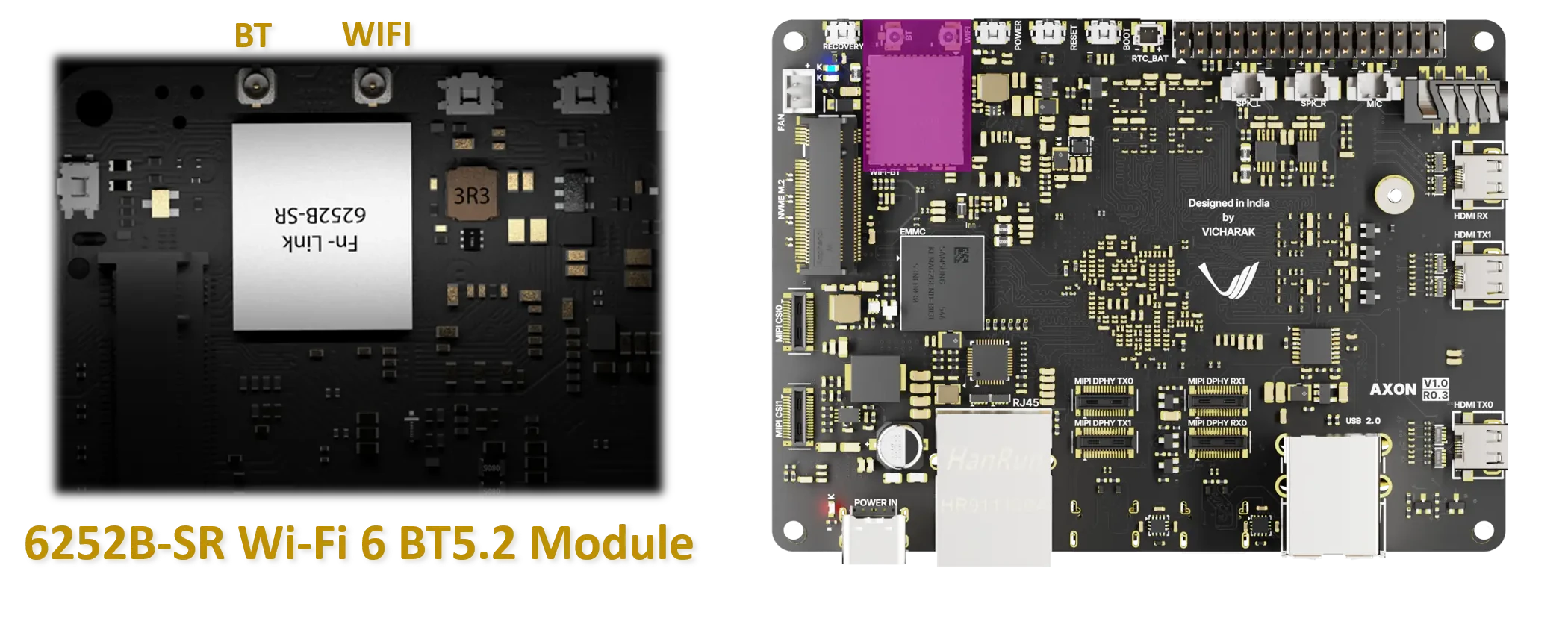
The Axon SBC includes an integrated Bluetooth 5.2 interface based on the Realtek RTL8852BS chipset (module: 6252B-SR). Bluetooth is used for connecting wireless peripherals such as keyboards, mice, audio devices, and sensors.
Danger
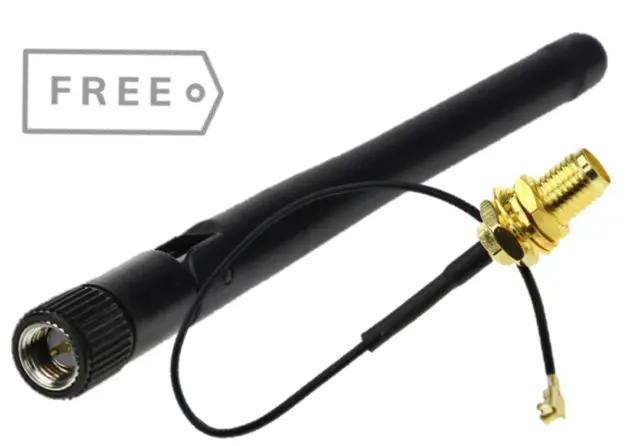
Kindly, attached Antenna on Bluetooth U.FL connector as mentioned in above picture.
Hardware Details
Chipset: Realtek RTL8852BS
Bluetooth Version: Bluetooth 5.2 / BLE
Host Interface: UART
Linux Support
Bluetooth is supported using the Linux BlueZ stack.
Firmware must be available under /lib/firmware/rtl_bt/.
The Bluetooth controller is typically exposed as hci0.
Using Blueman (GUI Method)
Launch Blueman Manager:
blueman-managerEnsure Bluetooth is ON (top toolbar).
Click Search to scan for nearby Bluetooth devices.
Select the target device from the list and click Pair.
Confirm the pairing request on both devices if prompted.
After pairing, right-click the device and select Connect.
Blueman provides an easy graphical interface for managing Bluetooth devices.
Using bluetoothctl (CLI Method)
Start Bluetooth control utility:
bluetoothctl
Inside the prompt, run:
power on
scan on
Once the device appears (example MAC address):
Pair device using MAC addresse:
pair AA:BB:CC:DD:EE:FF
Trust device using MAC addresse:
trust AA:BB:CC:DD:EE:FF
Connect device using MAC addresse:
connect AA:BB:CC:DD:EE:FF
Stop scanning and exit:
scan off
quit
Troubleshooting
Check hci device using below command :
hciconfig -a
Expected Device
hci0:     Type: Primary  Bus: UART
  BD Address: 40:F4:C9:94:85:5B  ACL MTU: 1021:5  SCO MTU: 255:11
  UP RUNNING
  RX bytes:2823 acl:0 sco:0 events:79 errors:0
  TX bytes:7087 acl:0 sco:0 commands:98 errors:0
  Features: 0xff 0xff 0xff 0xfa 0xdb 0xbf 0x7b 0x87
  Packet type: DM1 DM3 DM5 DH1 DH3 DH5 HV1 HV2 HV3
  Link policy: RSWITCH HOLD SNIFF PARK
  Link mode: PERIPHERAL ACCEPT
  Name: 'cow'
  Class: 0x7c0000
  Service Classes: Rendering, Capturing, Object Transfer, Audio, Telephony
  Device Class: Miscellaneous,
  HCI Version: 5.2 (0xb)  Revision: 0x530
  LMP Version: 5.2 (0xb)  Subversion: 0xf2b7
  Manufacturer: Realtek Semiconductor Corporation (93)
Check kernel logs if Bluetooth does not appear:
dmesg | grep -i bluetoothVerify firmware files:
ls /lib/firmware/rtl_bt/You can reinstall firmware by using below command :
sudo apt update
sudo apt install vicharak-firmware
Reboot after installing firmware or drivers.
Notes
BLE support depends on kernel and BlueZ version.