

Ethernet
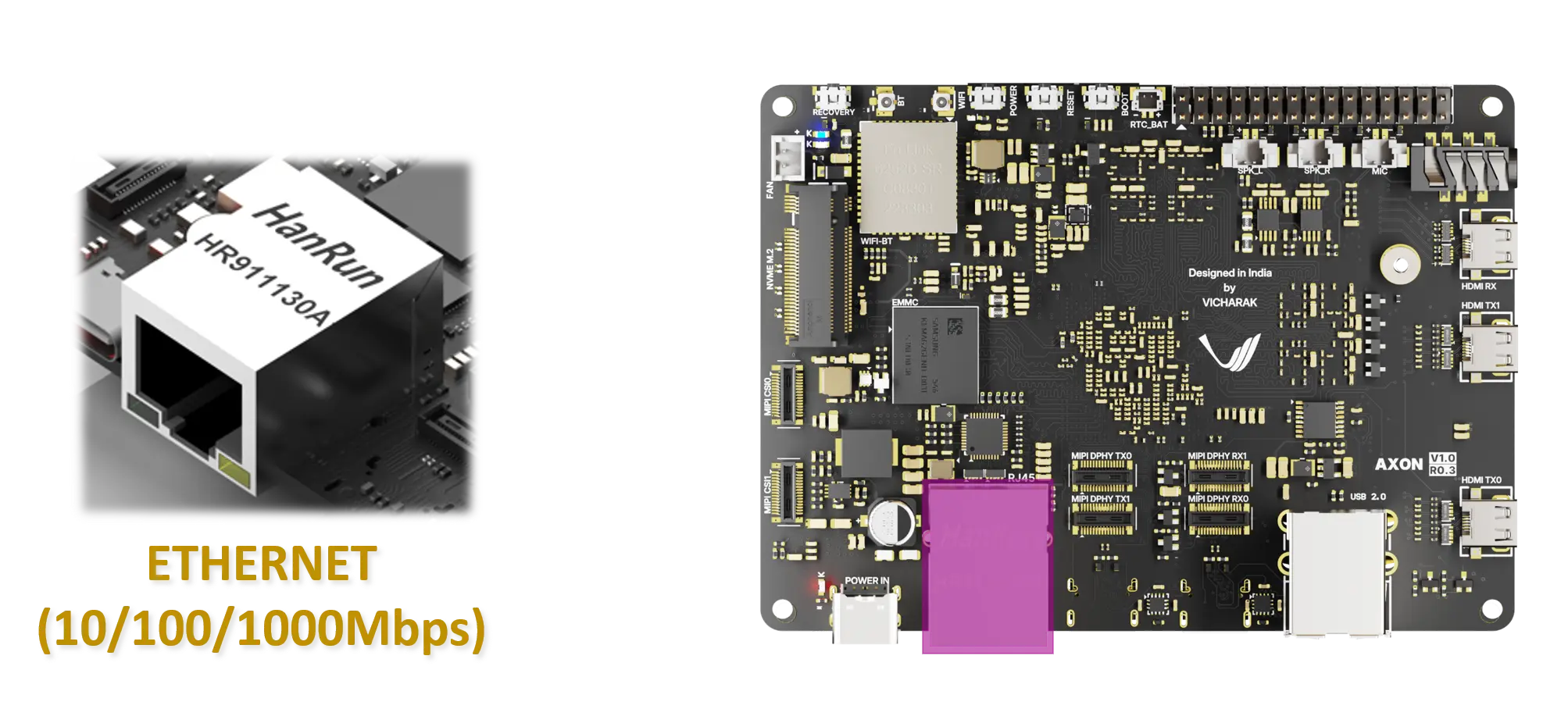
The Axon SBC provides a single Gigabit Ethernet interface for wired network connectivity using a standard RJ45 connector.
Hardware Details
Connector: 1 × RJ45
Speed: 10 / 100 / 1000 Mbps
Ethernet PHY: Realtek RTL8211F
Interface Type: RGMII
The Ethernet interface supports auto-negotiation and automatically selects the highest supported link speed.
Linux Support
The Ethernet interface is supported by the Linux kernel using the standard Realtek PHY driver. No additional out-of-tree drivers are required.
The network interface usually appears as eth0 or end1 depending on
the Linux distribution.
Basic Linux Commands
Check Ethernet Interface
List all network interfaces:
ip link show
Check IP address assigned to Ethernet:
ip addr show eth0
Bring Interface Up or Down
Bring the Ethernet interface up:
sudo ip link set eth0 up
Bring the Ethernet interface down:
sudo ip link set eth0 down
Check Link Status and Speed
Install ethtool if not already available:
sudo apt install ethtool
Check link status and negotiated speed:
ethtool eth0
Expected output includes link state and speed, for example:
Speed: 1000Mb/s
Duplex: Full
Link detected: yes
Test Network Connectivity
Check connectivity using ping:
ping -c 4 8.8.8.8
Check default gateway and routing table:
ip route
Notes
Use a CAT5e or higher Ethernet cable to achieve Gigabit (1000 Mbps) speed.
Ensure Ethernet support is enabled in the kernel and device tree.
Link LEDs on the RJ45 connector indicate activity and connection status.