

Micro SD Card
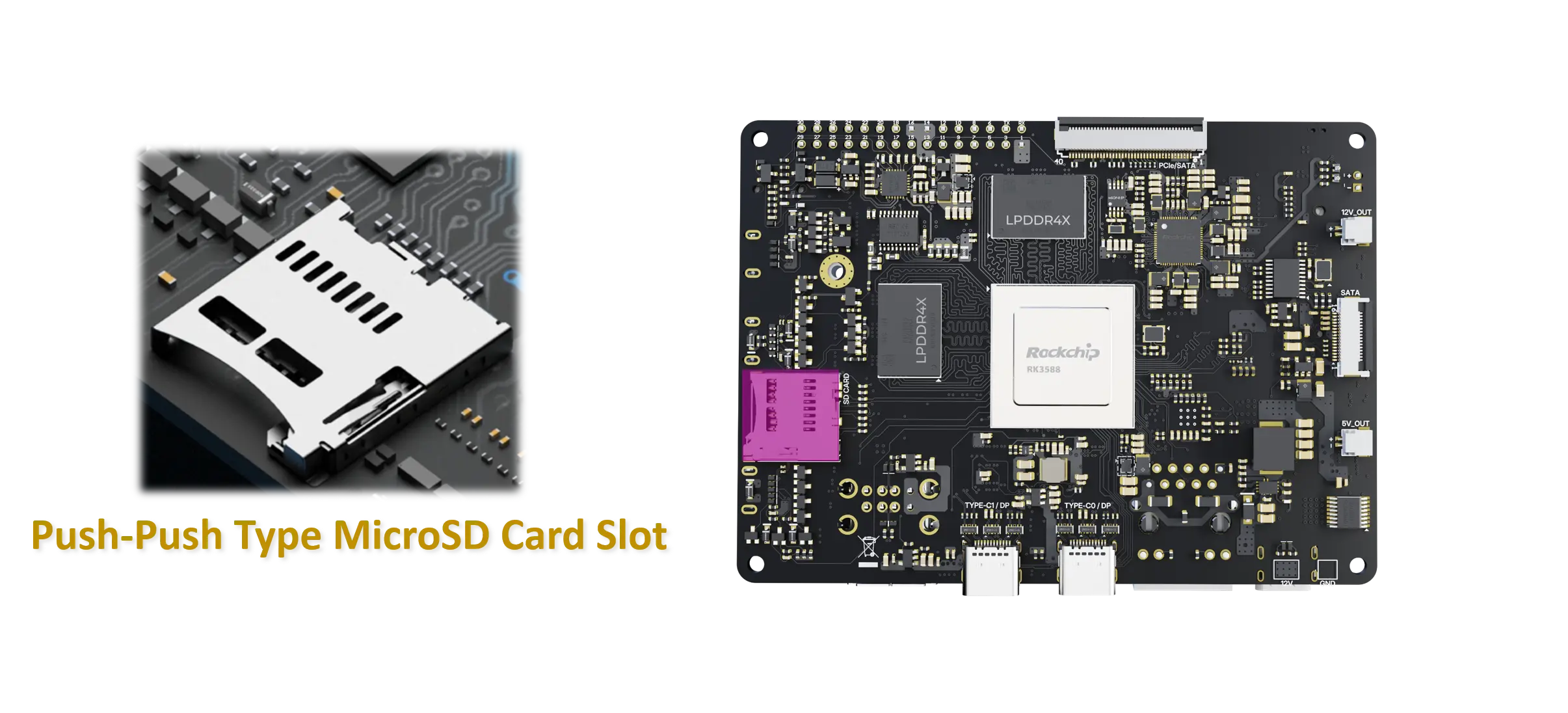
The Micro SD Card slot on the vicharak-axon board provides non-volatile storage for the system, user data, logs, and optional bootable images. Cards are accessed through the board’s SD host interface and are powered from the board’s 3.3 V rail. Use high-quality, reputable microSD cards to ensure reliable operation.
Card preparation and usage
Recommended card quality: Use a reliable card from a reputable brand.
Card formatting for data storage: If you plan to use the card for data storage (not for boot), format with FAT32 (for cards up to 32 GB) or exFAT (for larger cards) if OS support on the board permits.
Bootable OS images: Use only images provided or endorsed by Vicharak. Write the image to the card using a card writer utility on your host computer.
After flashing, insert the card and power on the board to boot.
Flashing OS images and boot
Obtain the official image for the vicharak-axon board and the desired OS variant from the project’s distribution page.
Write the image to the microSD card: You can find SD Card Flashing Guide here (Vicharak Docs)
After flashing, safely eject the card, insert it into the vicharak-axon board, and power up.
If the image does not boot, verify that you downloaded the correct image for your board revision and that the card was written to the correct device. Check boot logs via serial console if available.
For data partitions used by the OS after boot, the file system type will be determined by the OS image (commonly ext4 for Linux root).
Troubleshooting
Card not detected: Verify card seating, try a different card, and ensure the board is powered. Check for any obstruction or any breakage on the chip seating.
Slow performance or frequent I/O errors: Use a high-quality, Class 10 or UHS-I card. Avoid counterfeit cards. Re‑flash the OS image if you suspect image corruption.
Boot failures: Ensure you are using the correct OS image for your board revision and that you flashed the image to the correct device. Check for required boot media order if the board supports recovery modes.
Notes
Do not force-remove the card while the board is powered or the filesystem is mounted. Eject safely through the OS or power down first.
If you encounter issues not covered here, consult the project’s support channels or Vicharak’s Discord channel for help with microSD on the vicharak-axon board.