

PCIe 3.0
The Vicharak-Axon board includes a dedicated M.2 expansion slot that supports NVMe solid-state drives using the PCI Express (PCIe) Gen 3 interface with four lanes (x4)
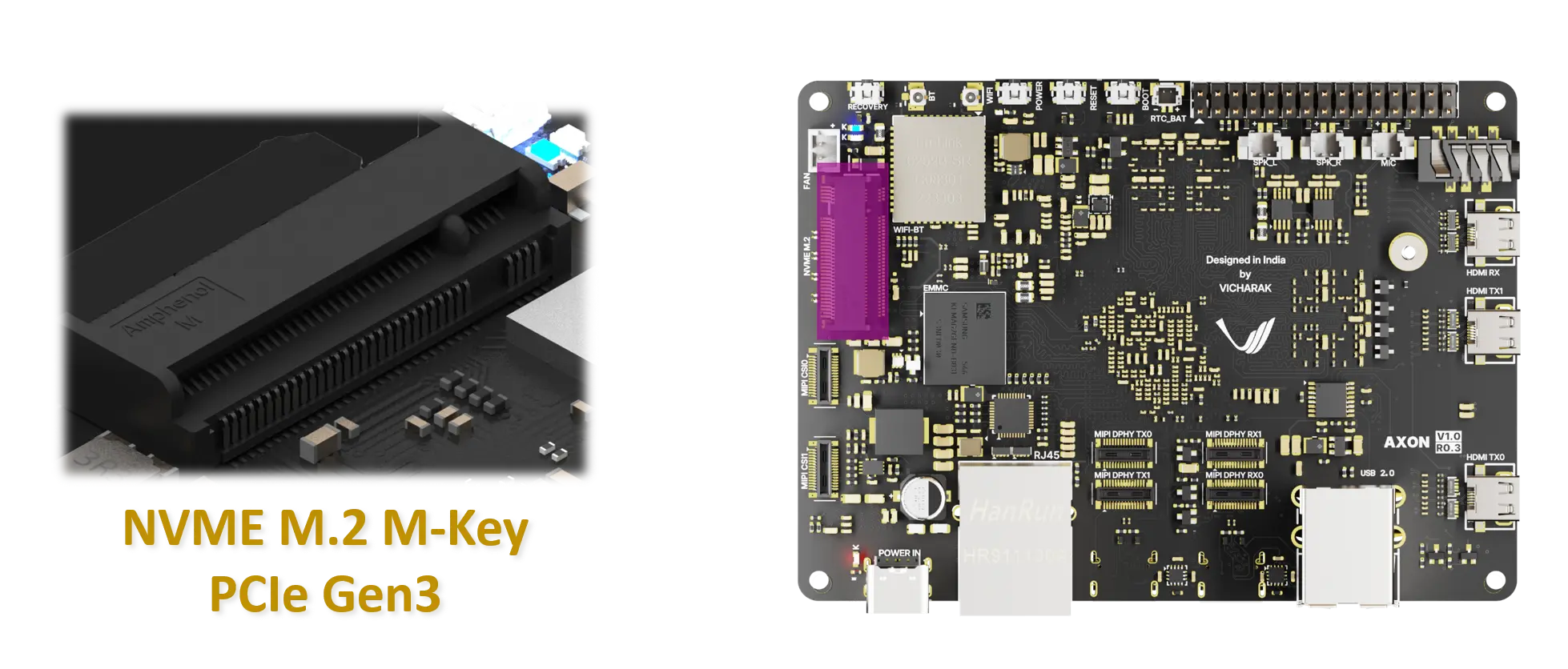
Specifications
Interface: PCIe 3.0 x4
Protocol: NVMe
Form factors supported: M-keyed NVMe drives (natively: 2280 and various lengths with hats: 2230/2242/2260 supported), more detailed info is provided below
Software support: Linux kernel with NVMe enabled (kernel 5.10 and 6.1.75)
Hardware installation notes
Ensure the board is powered off before handling.
Insert the NVMe drive into the M.2 socket at a ~30-degree angle, aligning the notch with the keying, then press down to seating position and secure with the mounting screw.
Use a heatsink (optional) if your drive is likely to sustain sustained write workloads to maintain performance and longevity.
Re-seat if the drive is not detected after the initial insertion.
If you inserted the NVMe drive while the board is on, reboot the board if you can’t detect the NVMe drive.
Usage and management
Note
The commands below assume the device is /dev/nvme0n1 and the partition is p1. Run lsblk to confirm your device.
Installing NVME Cli Tool
sudo apt-get install nvme-cliDetecting the device
sudo nvme list
lsblk -o NAME,MODEL,SIZE,MOUNTPOINT
Checking how many lanes are used by PCIe host interface
sudo lspci -vv -d ::0108 | grep LnkStaPartitioning and formatting
sudo fdisk /dev/nvme0n1
# create partitions as needed
sudo mkfs.ext4 /dev/nvme0n1p1
Mounting
sudo mkdir -p /mnt/nvme
sudo mount /dev/nvme0n1p1 /mnt/nvme
Form factors supported for PCIe
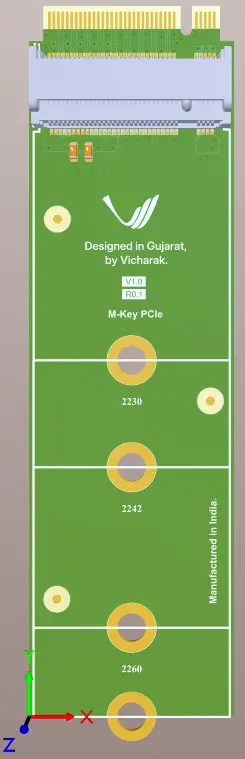
M.2 M-key PCIe Adapter Board(hat)
This adapter board provides an M.2 M-key interface for connecting NVMe SSDs to the SBC via PCIe.
Features:
M.2 M-key socket for NVMe (PCIe) SSDs
Form 2280 is directly supported natively on board
Supports SSD form factors: 2230, 2242, 2260 through adapter board
Direct PCIe lane routing (no onboard PCIe switch or SATA controller)
Passive adapter design
Troubleshooting
Not detected by the OS or BIOS
Verify the M.2 drive is correctly seated; reseat it if necessary.
Update the system firmware/BIOS to the latest version.
Try a different NVMe drive to isolate a potential drive issue.
Check system logs for NVMe-related messages:
dmesg | grep -i nvme
Drive appears but is not mountable
Ensure partitions exist and are correctly formatted.
Verify file system integrity with fsck or leaved partitions.
Confirm proper mounting points and permissions.